
ENTRY PORTAL GUIDE
This guide will take you through how to complete your entry. If you have any questions not covered here, please contact business.enquiries@thechannelcompany.com . Remember the early bird ends 15 May. The final the deadline to submit your entry is 11:55pm BST on 19 June.
You need to first log onto or create a login for the entry portal using the button below
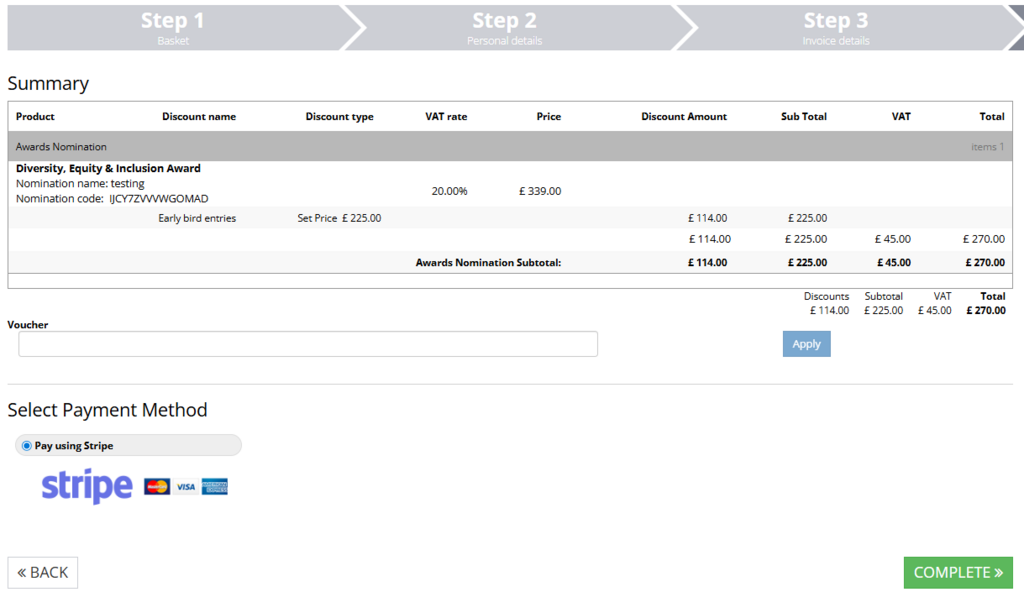
1. Once logged in, select the category you would like to enter from the drop down. If you have entered the portal through the categories page, the category will already be in your basket. You can skip step 1 and 2. Please note the early bird discount is added at the checkout stage.
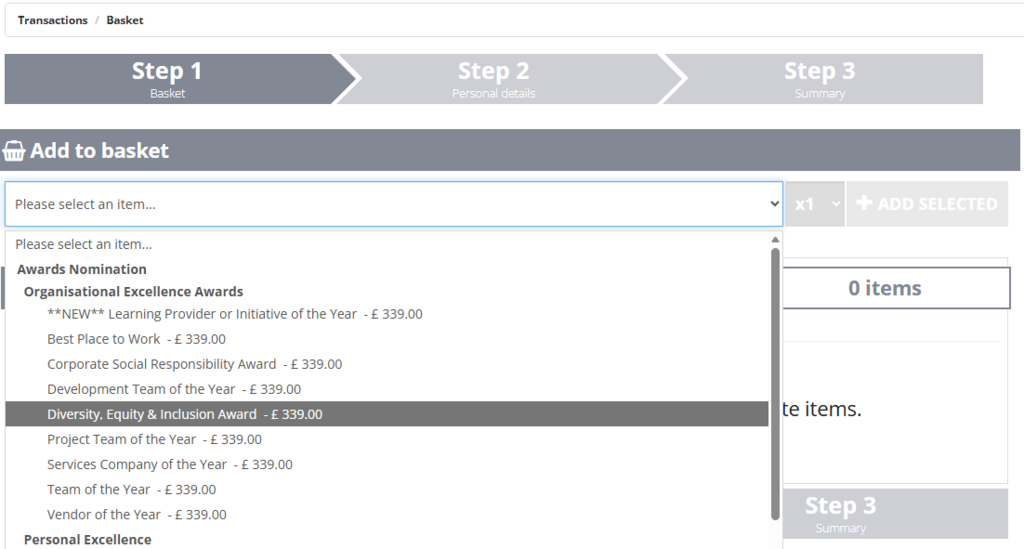
2. Select 'add selected' on the right of the drop down.
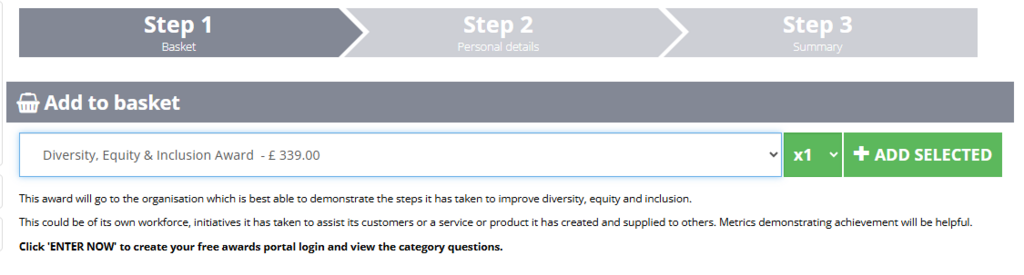
Repeat these first two actions for each category you would like to enter.
3. Complete all the mandatory questions. You can also add supporting documents and a video link. Please note, if you have more than one document it will need to be uploaded in a zip file.
Make sure you select the below checkbox to continue your entry.

4. The next step asks for your personal details. Please complete all mandatory fields. When you get to the question 'Are you registering as a', the option 'Corporate company, Scottish Partnership, LLP or Government body' means that you work for an organisation rather than yourself. This is the most common answer.
5. In the final step, you can complete and pay for your entry via credit card. You will be taken to a thank you page and will receive a confirmation email with a copy of your entry.
Amending or saving your applications
All your entries (complete and incomplete) can be found on the left hand side of the portal. This is where you can complete any saved entries or edit your completed ones (including those you have paid for already). Entries can be edited up until the entry deadline at 11:55pm BST on 19 June.
